
Sixteen screens, and a technician learns four of them
The app has four tabs: today, inspections, installations and stock. Everything a technician does on a visit happens inside the second one, and the shape of every screen is the same, so learning the inspection list teaches the installation list for free.
The four tabs
The four tabs
- Today
- Inspections
- Installations
- Stock
Starting the day
Home
Today at a glance: what is outstanding on inspections, installations and stock, and two banners that only appear when they matter — how many records are waiting to upload, and how many failed and need a person.
Inspections
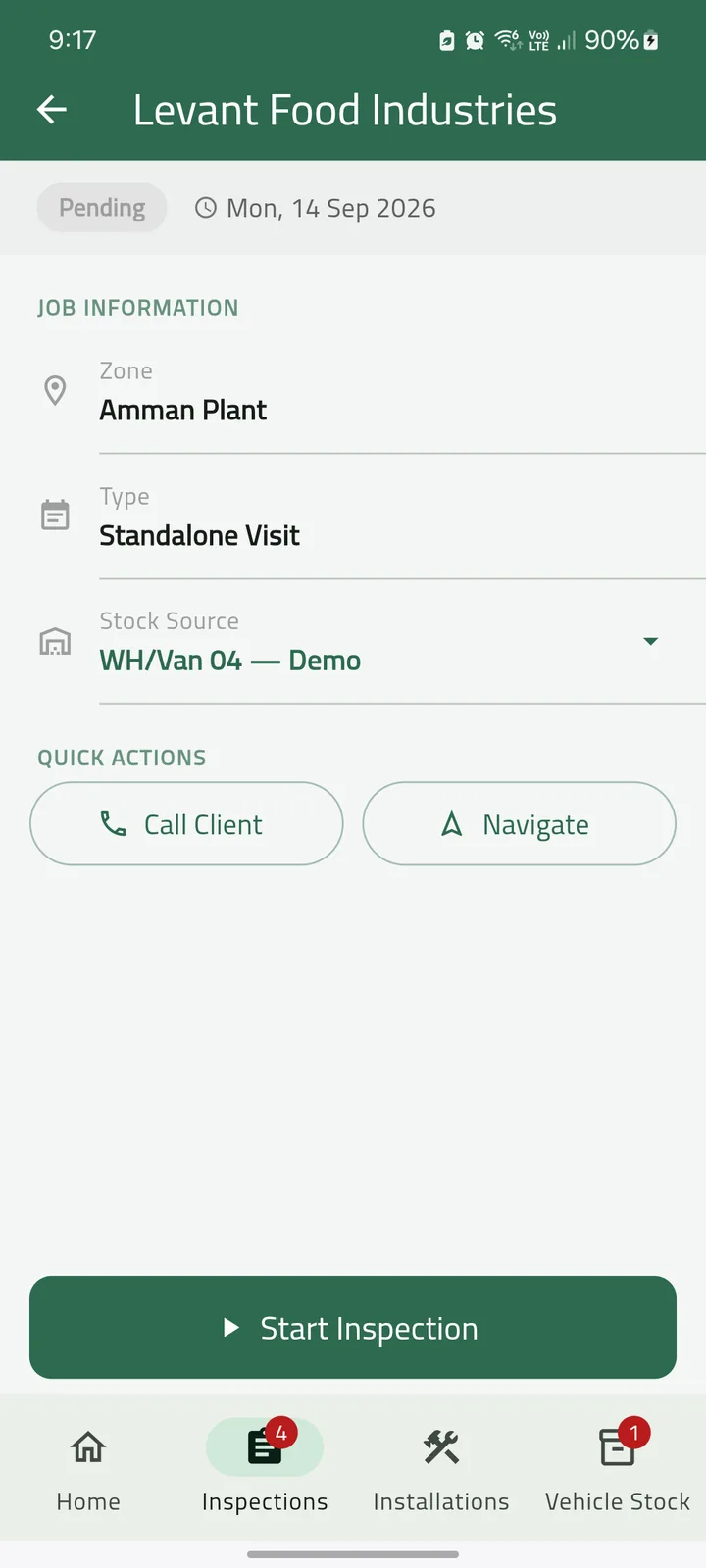
Active and completed jobs, searchable by client or site, with call and navigate buttons on every card.
Working a site
The trap list
Every trap in the site's zone tree, grouped by sub-zone, with a progress count. Twelve of sixteen inspected, and you can see which four are left.
Scan
Point the camera at a trap's QR code and land on its form. The code is resolved against the copy of the trap register already on the phone, so scanning works with no signal.
The inspection form
The questions change with the trap type, and they are configured in Odoo rather than in the app, so a new checklist does not need a new release. Yes or no, a number, a dropdown, free text.
Findings
Species, evidence type, estimated count, a location note and a photo.
Chemicals and materials
What was applied, how much, by which of seven application methods, and from which batch. The quantity is checked against the van's live stock as it is typed.
Visual sighting
Pest activity away from any trap: the zone, a severity, and the same findings and photo capture.
Signature
The client signs on the phone. A visit cannot be marked signed without it.
Evidence is a closed list of six
“Signs of activity” is not a record an auditor can weigh, so every finding names what was actually there.
- Physical catch
- Droppings
- Gnawing damage
- Live sighting
- Nesting or webbing
- Smear marks
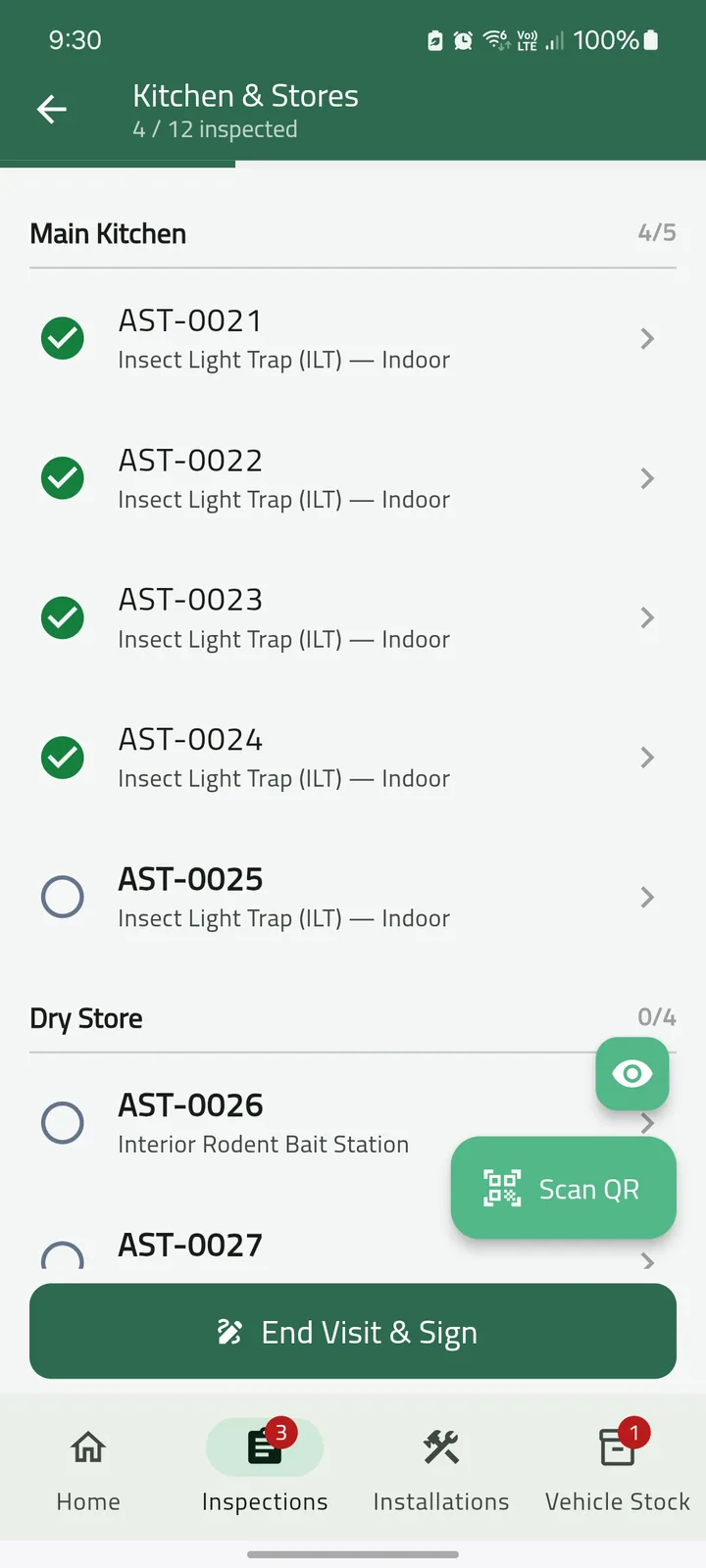
The trap list, grouped by sub-zone, with progress. 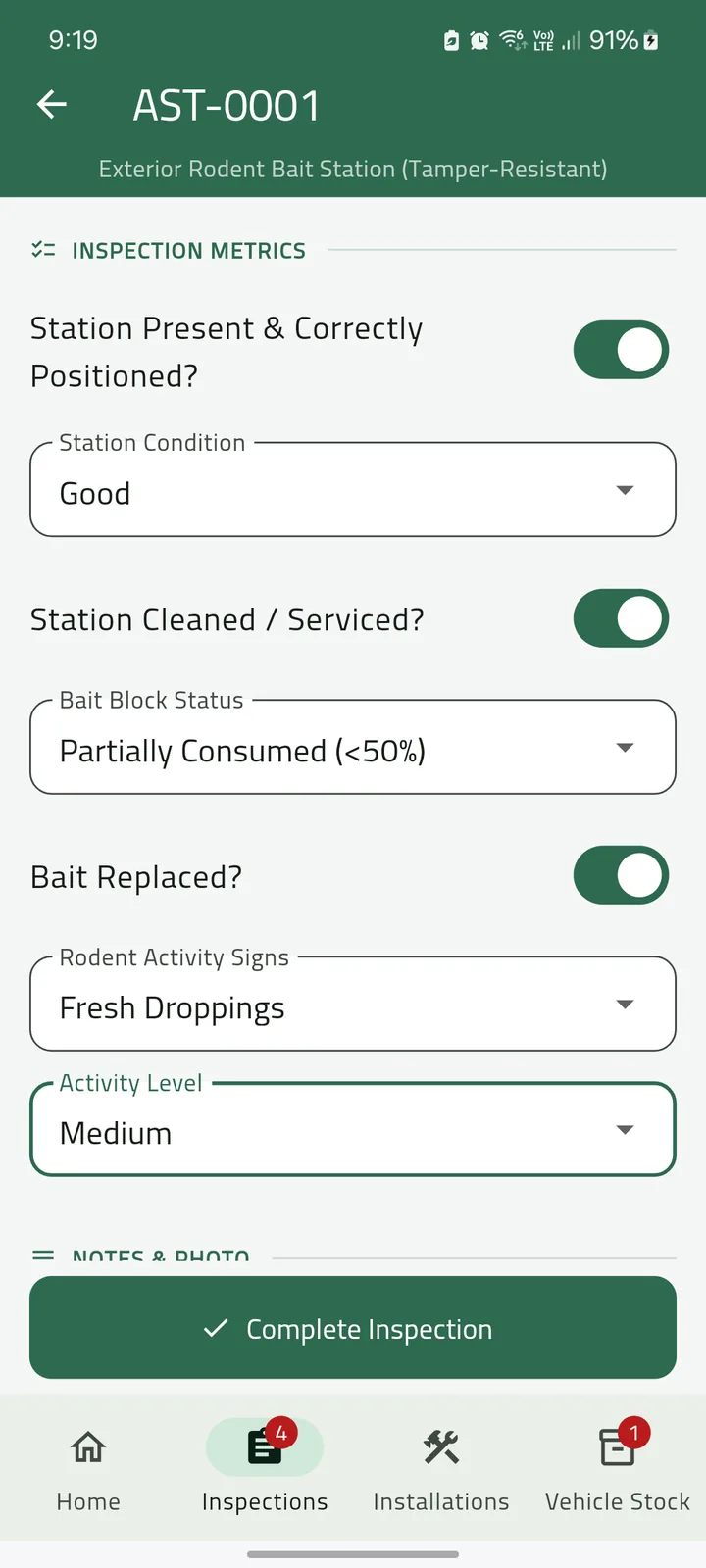
The checklist for that trap type. 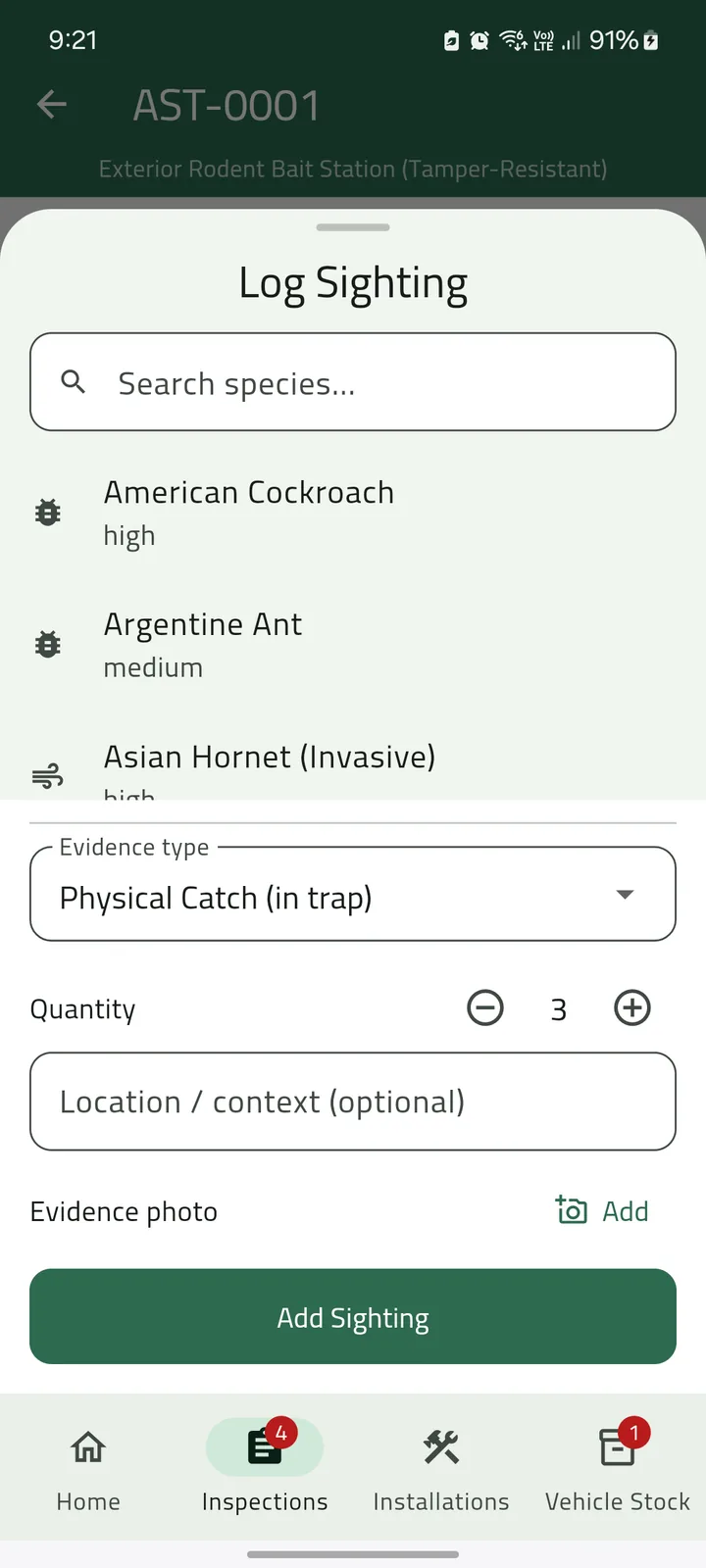
A finding: species, evidence, count. 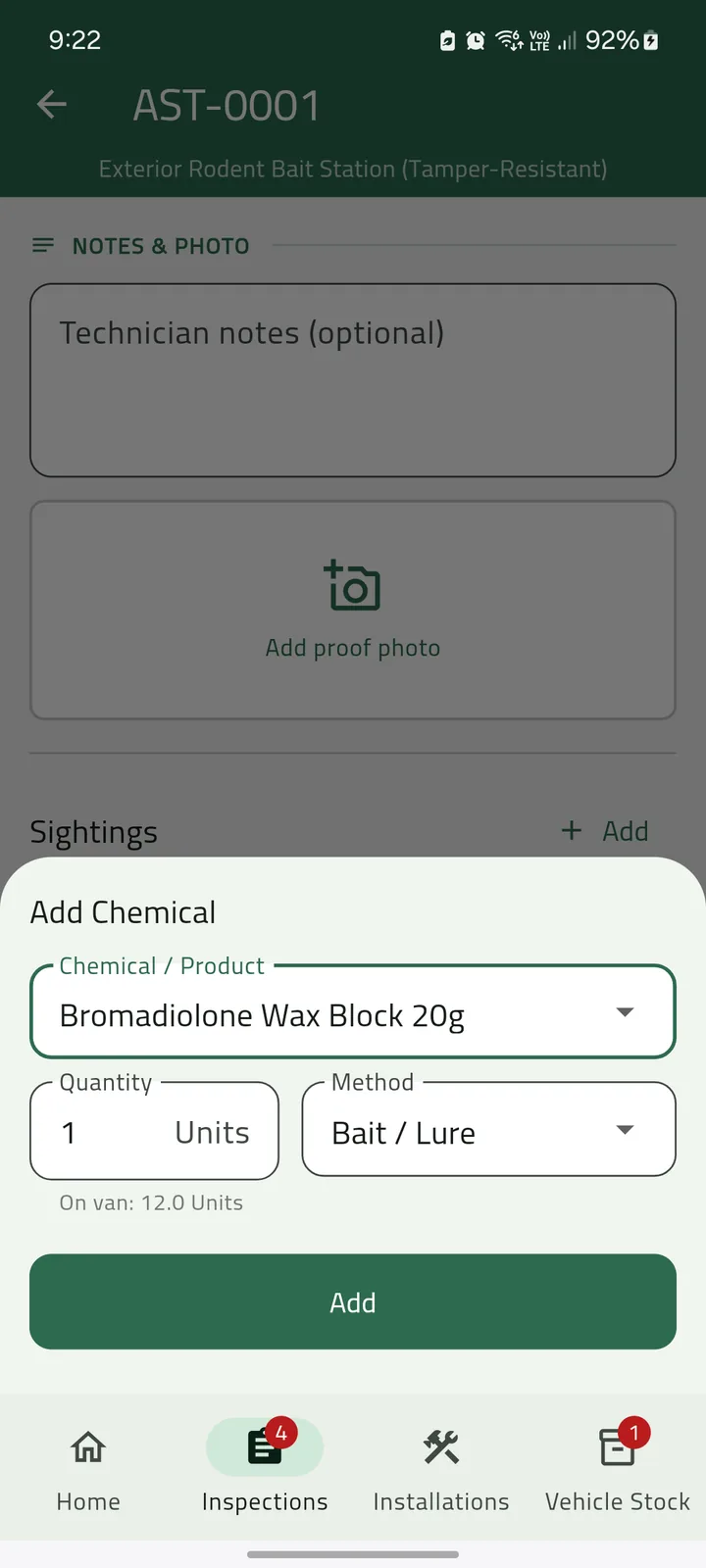
A treatment, checked against van stock. 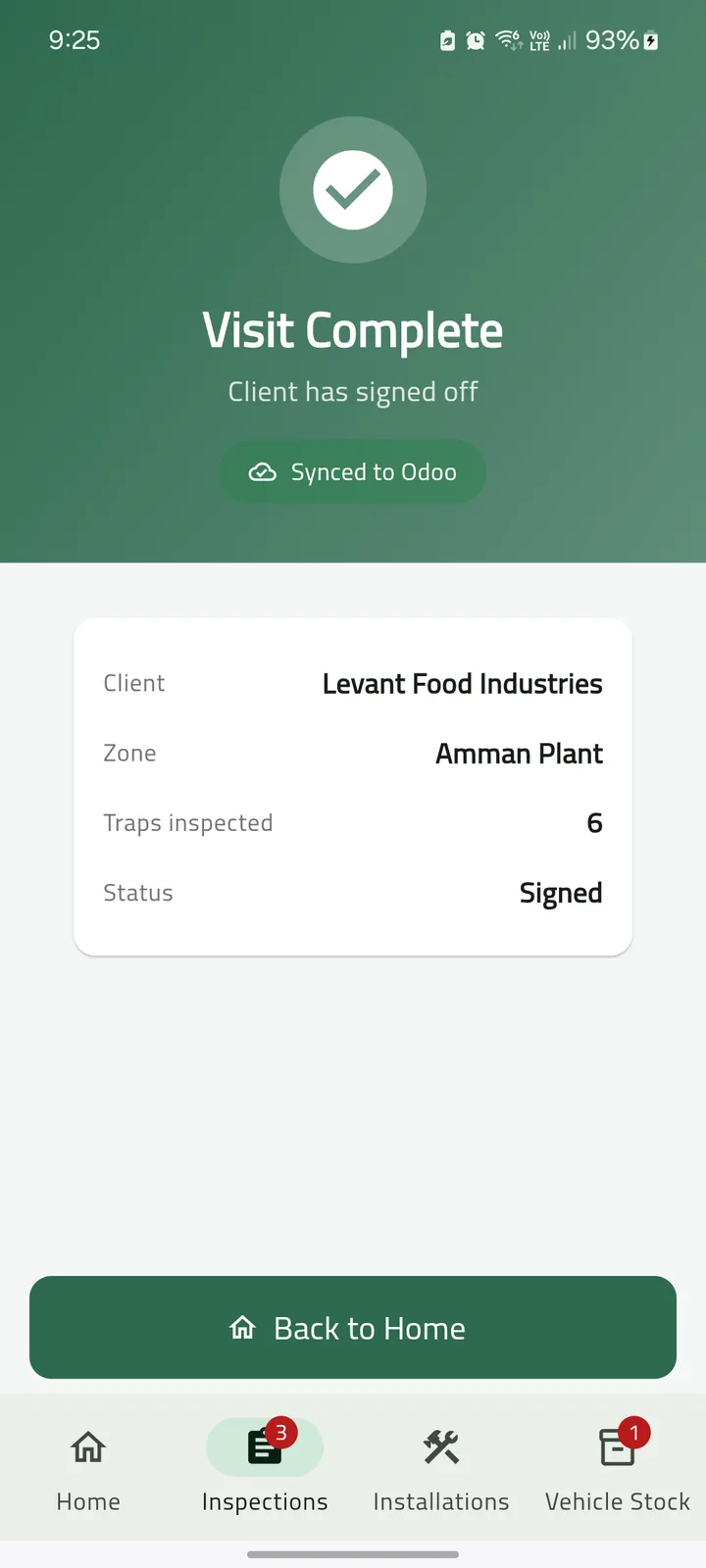
Signed on site, synced to Bio-Pest.
Screens from the shipping Android app, captured on a handset against a test system. Every client, site and person in them is fictional.
Installations
Installation jobs and scan
Deploy new traps by scanning each one and confirming it. The trap leaves the van's stock in Odoo at that moment.
Stock
Van stock
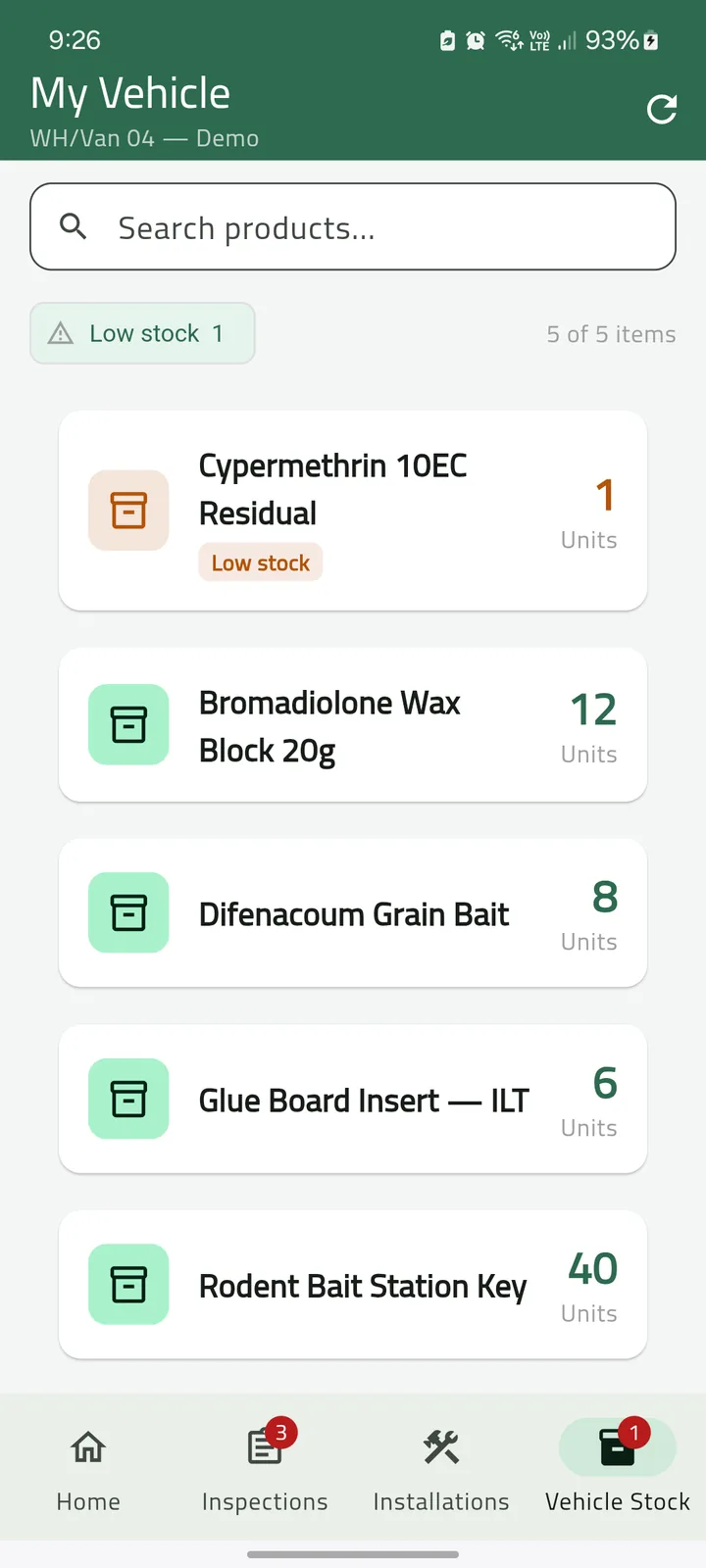
On-hand minus reserved, per product and per batch, read live from Odoo and cached so it still shows when the signal goes. Anything at one unit or less is flagged without anyone looking for it.
There is no timesheet in the app, no route, and no map of where the technician has been. It records the work on the site, not the worker.
Tell us about your sites
How many technicians you have, and what your clients are audited against. We will tell you plainly whether the suite fits.
Talk to us